PrimeStream on every screen

Your channels.
One beautiful place to watch.

Watch your authorized lineup on TV, Android, Windows, or right in your browser. Live TV, the guide, Favorites, and multiview stay close at hand.

No provider lock-in Credentials stay private
PrimeStream Ready to watch
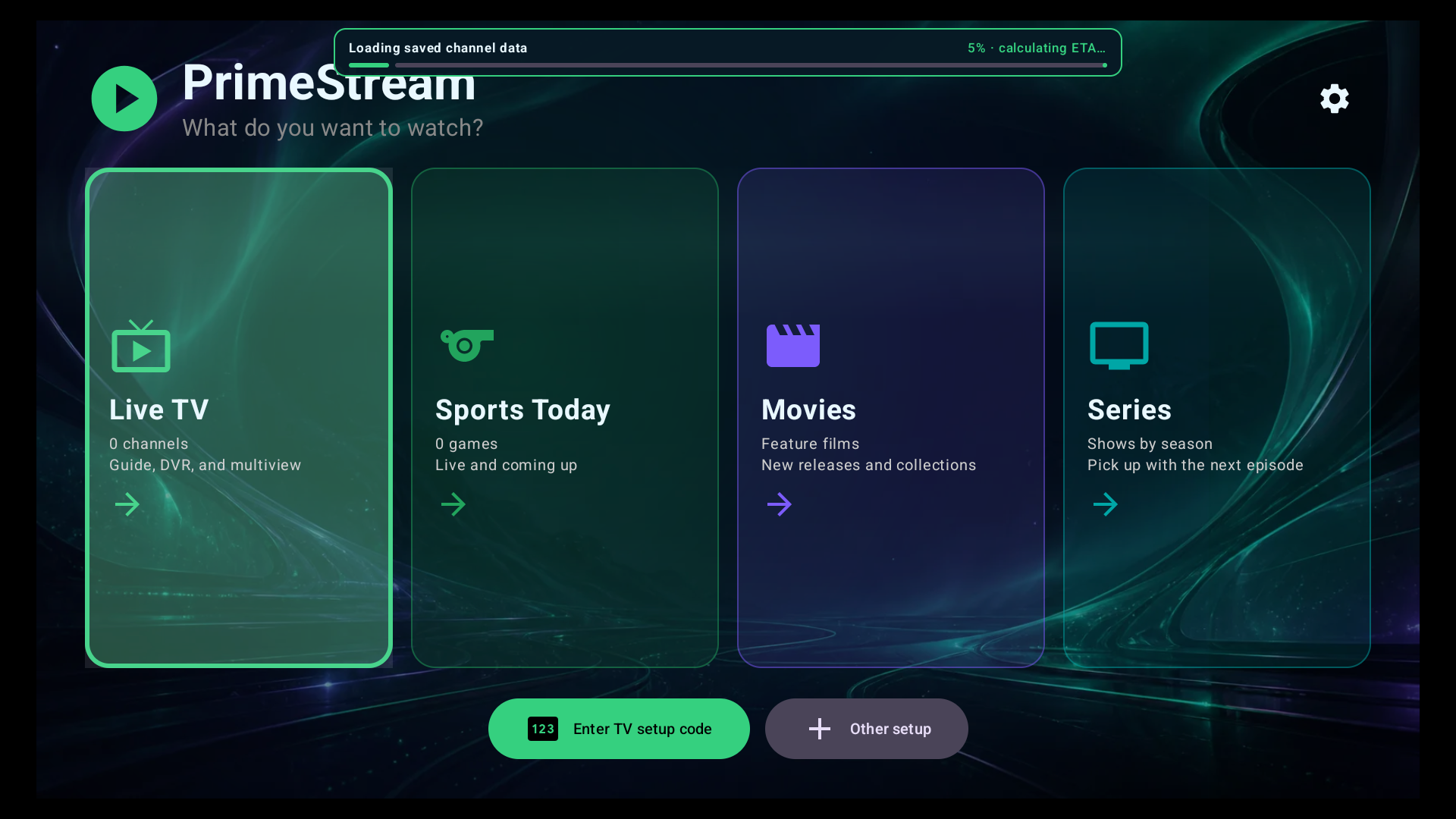
PrimeStream showing Live TV, Sports Today, Movies, and Series
Your lineup stays yours

Built for the living room

Live TVGuideDVRMultiview

Explore the PrimeStream app

Pick up the remote.

The app’s home screen, Live TV browser, guide, and multiview—right here.

Interactive walkthrough · Sample lineup and schedules · No live video or real recordings

PrimeStream

What do you want to watch?

Demo lineup loaded · No provider connection required

Click or tap to explore. Arrow keys move focus; Enter selects; Esc goes back. Demo changes reset on reload.

Everything in its right place

Less setup friction.
More watching.

PrimeStream keeps powerful playback tools close without letting them get in the way.

Live TV, organized

Bring your authorized M3U or Xtream lineup and browse it in a focused, fast interface.

Included
Multiview built in

Keep up with two to four live channels at once, with audio that follows your focus.

Included

Your DVR, your storage

Record to local, USB, SMB, or Synology storage without giving up control of your library.

Included

One app, every screen

Designed to feel at home on TV.

Remote-first navigation on the couch. Touch-friendly controls when you take it with you.

Google TV & Android TVFire TVAndroid phones & tablets

Ready when you are

Bring PrimeStream to your screen.

Choose where you want to watch, then download the player for that screen or the setup tool for the device you will use to install it. Downloads need a signed-in PrimeStream account or a TV setup code.

PrimeStream Player for WindowsUse this when you want to watch PrimeStream on this Windows desktop or laptop.
Install Windows playerBest for: watching directly on a Windows 10 or 11 PC. This installs the full desktop player, adds shortcuts, and activates with your six-digit setup code. It does not install PrimeStream on a TV. Prefer a no-install copy? Download the portable ZIP. · Open the player guide
PrimeStream Setup for WindowsUse this when a Windows PC will install or update PrimeStream on a separate TV.
Download Windows setupBest for: using your Windows computer as the installer for a Google TV, Android TV, or compatible Fire TV on the same local network. This is a TV installation utility, not the Windows viewing app. Android Platform Tools are downloaded automatically when needed; local-network ADB pairing must be enabled. · Open the setup guide · Fire TV devices using Vega OS are not supported.
PrimeStream app icon
PrimeStream Player for AndroidUse this when the Android device receiving the download is the screen you want to watch.
Download Android playerBest for: direct or manual installation on an Android phone, Android tablet, Google TV, Android TV, or compatible Fire TV. This APK is the player itself. If you want to send PrimeStream to a different TV, use one of the setup tools instead. · Version 2.0.39 (282)
PrimeStream TV Setup for AndroidUse this when an Android phone or tablet will install or update PrimeStream on a separate TV.
Download Android TV setupBest for: using an Android 9+ phone or tablet as the installer for a Google TV, Android TV, or compatible Fire TV on the same Wi-Fi network—no Windows PC required. This utility installs the player on the TV; it is not the Android viewing app. Local-network ADB pairing must be enabled. iPhone and iPad cannot run this APK, and Fire TV devices using Vega OS are not supported.

A little help, a better watch

Contact Us

Need help with setup, your account, or playback? Tell us what happened and which device you’re using.

Email support

For private account questions or help without Discord, send us an email. Include your device, app version, and the error you’re seeing.

[email protected]

Never send passwords, payment details, or TV setup codes.